
On-page SEO factors for advisor websites: how to structure headings, trust signals, internal links, and calls to action so pages rank and drive inquiries.
Updated: 11/06/2026 by Cullen Fischel

Why a page can draw visitors and still get no calls
Picture a solo advisor who works with pre-retirees. Her retirement income planning page shows up in search results now and then, people read it, and almost no one books a call. On-page SEO factors are the parts of a page you control: headings, links, calls to action (the button or line that asks for the next step), and the content itself. They work best when you write them for the visitor first, since Google's guidance favors content made for a defined audience over content made mainly to attract clicks.
Two related terms help separate the work:
- Off-page: links and mentions from other websites.
- Technical: how the site is built and loads, including whether search engines can find and read your pages.
Many SEO checklists stop at helping Google understand a page. They say little about what a prospect needs between the question and the inquiry. The advisor's page may have the right keywords and still leave a 60-year-old unsure of who she serves, how she works, or what to do next.

This guide builds a rank + convert blueprint for pages like hers. The key points:
- Write for the reader's question first, then check that search engines can read the page.
- Use headings as an outline a skimming visitor can follow.
- Show credentials and disclosures where a cautious prospect will look for them.
- Link to related pages that answer the next question.
- Offer one clear next step that fits how ready the reader is.
Rankings aren't guaranteed, but a page built this way gives visitors a better chance to act. If you'd rather build the surrounding plan first, a written marketing plan is a good place to start.
A top-to-bottom map of a retirement income page
Here is the layout applied to the pre-retiree page from the last section. Each element has a job for the search engine and a job for the reader. Later sections go deeper on each one.
Quick Definition: search intent. The reason behind a search. Someone typing "how much can I withdraw in retirement" wants a clear answer and a sense of whether this advisor can help.

| # | Page element | Search engine job | Reader job | Goes deeper in |
|---|---|---|---|---|
| 1 | Title and description | Names the page topic. Google may rewrite or truncate titles. | Gives an honest reason to click | Section 3 |
| 2 | One H1 | States the page subject | Confirms they landed in the right place | Section 4 |
| 3 | Answer-first opening | Gives a clear passage to pull | Answers the question in two or three sentences | Section 4 |
| 4 | Scannable sections | Shows how topics relate | Lets a skimmer find the withdrawal or tax part | Section 4 |
| 5 | Trust signals | Shows who stands behind the page | Names the author, credentials, and disclosures | Section 5 |
| 6 | Internal links | Connects related pages | Points to Social Security timing and tax-aware withdrawals | Section 6 |
| 7 | Matched call to action | Not a ranking factor | Offers a checklist or an intro call | Section 7 |
The sequence follows a pattern visible on pages from Merrill and Equitable Advisors: explain the need, describe the planning method, offer a tool or evidence, then invite a conversation.
Keep the title, H1, and opening consistent, since Google can build its displayed title from several page signals. This blueprint is a starting structure and doesn't promise a ranking.
Match the page to what your prospect is really asking
Searchers on the same topic want different things. Someone typing "how much do I need to retire at 65" is usually learning, not ready to meet an advisor. Someone typing "can a financial advisor create a retirement income plan" is comparing options and is closer to a conversation. Search intent is the goal behind the query. The learner needs a clear answer and a checklist. The comparer needs to see how you work and how to book an intro call.
The title tag is the clickable headline in search results, and the meta description is the short summary beneath it. Google has no fixed title length, though long titles may be cut off, so put the topic first. Google may also write its own snippet from your page, so the opening paragraph should say the same thing.
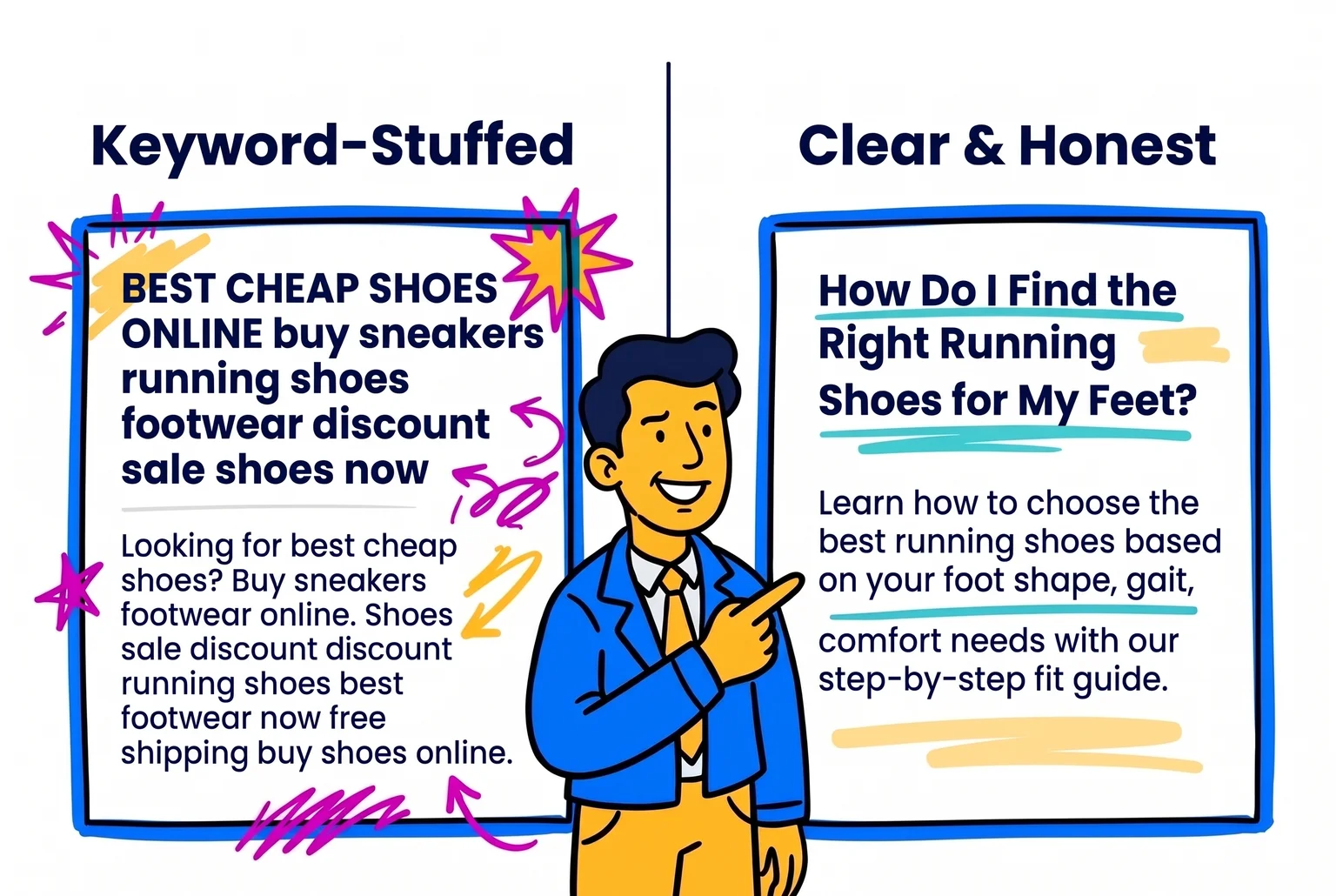
Before: Retirement Income Planning | Best Retirement Advisor | Financial Planner *Description:* We offer retirement planning services and financial planning for retirees.
After: Retirement Income Planning for Pre-Retirees: Where Will Your Paycheck Come From? *Description:* See how to list expenses, subtract guaranteed income like Social Security, and estimate what savings may need to cover.
Common Mistake: Stacking keywords into the title. It reads as spam, and promises such as "retire with confidence" imply outcomes you can't guarantee.
One-page planning checklist
- Write the one question this page answers.
- Decide whether the asker is learning, comparing, or ready to act.
- Answer in the first two or three sentences.
- Pick one next step that fits that readiness.
- Write an honest title and description.
Build a heading structure readers and search engines can scan
A header tag is the HTML label that marks a heading, from H1 (the page's main topic) down to H6. Use them like an outline. One H1 names the topic, H2s carry the main questions a prospect asks, and H3s hold supporting detail. Google's style guidance describes headings as a logical outline, and levels should reflect structure, never font size.
Under each heading, open with the answer in two or three sentences, then add examples, qualifications, and next steps. Some SEO writers suggest 40 to 60 words for that opening. That is a rule of thumb, not a Google requirement. Scanning readers get the point immediately, and featured snippets and AI summaries have a clean passage to lift. No format guarantees a place in AI Overviews, and Google says no special heading format is required.
An entity is a distinct thing a search engine can recognize, such as your firm, your location, or the people you serve. Name yours the same way everywhere: "retirement income planning for pre-retirees in Columbus, Ohio" on the page, in your Google Business Profile, and in directories. Organization markup can reinforce your firm's identity, and a good website design makes the outline easy to build.
Pro Tip: Write your H2s as questions a prospect would say aloud, then check that the first sentence under each one answers it.

Example outline
- H1: Retirement Income Planning for Pre-Retirees
- H2: Who is this plan for?
- H2: How do you turn savings into a paycheck?
- H3: Guaranteed income, such as Social Security
- H3: Withdrawals from savings
- H2: How does working together begin?
- H2: What does it cost?
Show readers who wrote the page and why to trust it
Google's quality guidance describes E-E-A-T as experience, expertise, authoritativeness, and trustworthiness. In plain words: has the author done this work, do they know it, do others recognize them, and can a reader rely on what is said. Financial advice is a high-trust topic because inaccurate information can affect a reader's financial stability, so the bar is higher than for most pages.
On the retirement income page, that means:
- A named byline with a short bio, headshot, and credentials stated accurately. Fabricated or misleading author profiles are off the table.
- A sentence on how the content was produced or reviewed.
- A plain description of how you work with clients, plus firm identity, contact details, and relevant disclosures that match your official firm documents.
- A source for each factual claim, such as Social Security rules.
- Anonymized, clearly illustrative situations, for example "a couple a few years from retirement often asks whether to claim Social Security first." Write them as generic examples, never as invented results.

Trust signals carry regulatory limits. The SEC Marketing Rule permits testimonials and endorsements with clear disclosure of whether the person is a client and whether they were paid, adviser oversight, and no misleading impression of typical results. Ads must also treat risks and limitations fairly alongside benefits. Skip "the best" claims and promissory wording, and use conditional, process-focused language. A broader digital marketing guide covers where these pieces fit.
Have your compliance team or consultant review each page before it goes live. Persuasive proof and regulatory limits pull in different directions, and a reviewer settles where yours sits.
Link related pages so readers and search engines can follow the path
An internal link is a link from one page of your site to another. Internal links help readers move through a site and help search engines find and understand your pages, so they do double duty on the way to an inquiry.
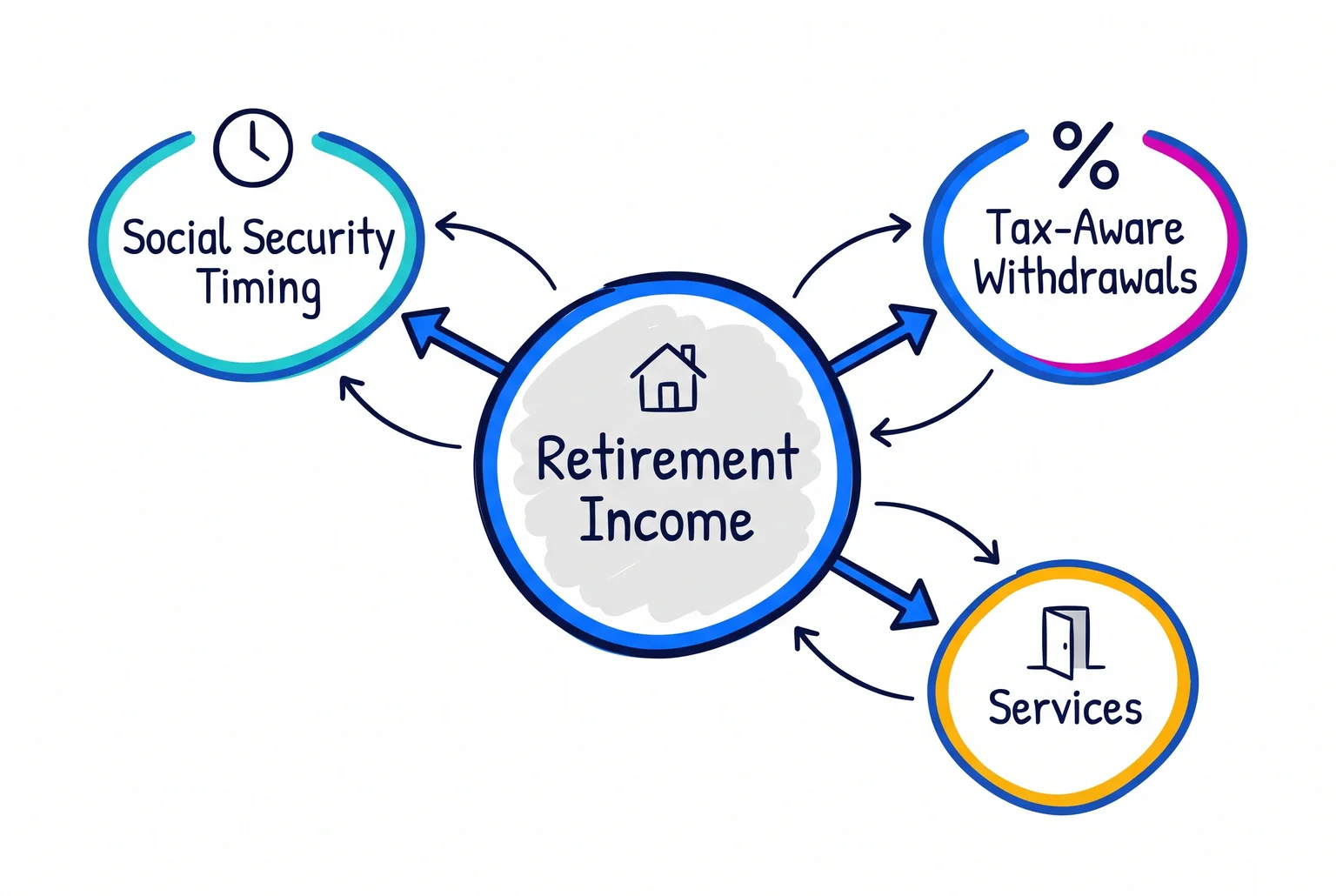
A simple pattern is hub and spoke. The retirement income page is the hub. It links to focused posts on Social Security timing and tax-aware withdrawals, and to your retirement planning services page. Each post links back to the hub, and the services page is where a ready reader can take the next step. Related pages can link to each other too, but do it selectively, since unrelated cross-links clutter navigation.
Quick definition: Anchor text is the clickable words of a link. "Our approach to tax-aware withdrawals" tells a reader and a search engine what is on the other side.
Common mistake: Anchors like "click here" or "read more" say nothing about the destination. Name the topic instead.
Place links where they answer the reader's next question, such as inside the sentence that raises it. Google sets no required number of internal links per page, so judge by usefulness.
Mini checklist:
- Does the link match the sentence around it?
- Does the anchor describe the destination?
- Does each post link back to the hub?
- Is there a path to the services page?
Match the call to action to how ready the reader is
A visitor reading an article on retirement income is usually researching, not ready to book. Educational pages can offer a low-commitment download, such as a retirement income checklist, in exchange for an email address. Service pages can lead directly with "Schedule an Introductory Call." The direct ask usually brings fewer responses, though the people who make it are typically closer to ready.
Keep one primary action per page, with a lower-commitment option as the secondary choice. Place it after the section that answers the reader's question, and again at the end. Replace "Submit" with "Get the Checklist" or "Book My Intro Call." Avoid urgency or outcome language.
Ask for name, email, and perhaps one short context field. Fewer fields do not always raise inquiries, so test before trimming further.
Quick definition: Core Web Vitals are Google's measures of how fast a page loads, how quickly it responds to taps, and how steady the layout stays. A good response time is under 200 milliseconds, and layout shift below 0.1.
Google reports that 53% of mobile visitors leave pages taking longer than three seconds to load. Buttons should be at least 48 CSS pixels wide or tall, with space around them, so thumbs hit the right one.
Turning one good page into steady inquiries
The retirement income page is one page. A pre-retiree who finds it may read it, leave, and forget it, unless the site also has more pages that answer related questions, links that connect them, and an email that follows up on the checklist download. Most advisors can build that once. Keeping it going every month, between client meetings, is where DIY effort tends to stall.
A done-for-you system takes over that routine work. The LeadPro plan costs $499 per month with $0 setup and no minimum contract. It includes a lead magnet, two blog articles and six social posts per month, ongoing SEO and keyword monitoring, content-related email marketing, landing pages, and monthly progress meetings. Setup takes roughly one to two months.
The limits are real. SEO typically needs at least six months to show measurable results, and some strategies take up to a year. Competition, content quality, and time all affect the outcome, so no inquiry volume can be promised.
On-page checklist and quick answers
On-page checklist
- Title: unique, descriptive, and matched to the page. Put the topic first, since Google may rewrite or cut off long titles.
- Description and H1: an honest summary and one clear topic. The opening paragraph should say the same thing, because Google may write its own snippet from it.
- Subheadings: H2s phrased as the questions a prospect would ask, with an answer in the first two or three sentences under each one.
- Trust: a named byline, accurate credentials, a note on how the content was reviewed, and disclosures that match your official firm documents.
- Internal links: descriptive anchors placed where they answer the reader's next question, with each supporting post linking back to the hub page.
- CTA: one primary action that fits how ready the reader is, with a lower-commitment option as the secondary choice.
- Speed and mobile: text that is easy to read on a phone and buttons at least 48 CSS pixels wide or tall.
Common questions
Does AI search change the basics? Google says AI Overviews need no separate playbook and no special heading format. The same habits still help: a clear answer near the top of each section, honest headings, and content written for a defined audience. No format guarantees a place in AI-generated summaries.
How often should I update my pages? No fixed schedule exists. Update a page when facts change, such as Social Security rules or your own services and disclosures, or when the questions your prospects ask start to shift. After each update, check that the title, H1, and opening still match one another.
What is the difference between on-page and off-page SEO? On-page is what you control on your own pages: headings, links, calls to action, and the content itself. Off-page covers links and mentions from other websites. Technical SEO is a third piece, covering how the site is built and loads and whether search engines can read your pages.
How long do results take? Often six months or more, and some strategies take up to a year. Competition, content quality, and time all affect the outcome, so no ranking or inquiry volume can be promised.
To see where your pages stand, book a content and website review.

About Cullen Fischel
Cullen Fischel is the lead designer at Pro Financial Design. So, if you’ve ever worked with us, you’ve worked with Cullen on strategy, design, and content creation for your project. Cullen’s got years of experience developing websites, brands, logos, lead magnets, digital marketing strategies, and social and email content for his clients. If you have any questions for him, just send us a message!

Want more financial advisor marketing tips and guides? Check out:



On-page SEO factors for advisor websites: how to structure headings, trust signals, internal links, and calls to action so pages rank and drive inquiries.