
Local SEO for financial advisors, in a practical checklist: set up Google Business Profile, pick local phrases, fix key pages, and handle reviews safely.
Updated: 11/02/2026 by Cullen Fischel

When someone searches for an advisor in your city, what do they find?
A prospect types "financial advisor near me" into their phone. Google shows a handful of nearby firms with phone numbers, star ratings, and links. If your firm has no listing, an outdated website, or a phone number that no longer works, you are absent from that list or you lose the prospect's trust within seconds of the click.
Local SEO is the work of making your firm easy to find and easy to trust in searches tied to a place. This guide covers the basics most firms skip, and none of it depends on tricks.
Key points - Searches tied to a place often come from people ready to talk to someone, not people browsing. - Google says local results rely mainly on relevance, distance, and prominence, and that complete, detailed Business Profile information helps it match a business to searches. - Reviews, accurate details, and a credible website shape how prospects compare nearby firms. No tactic guarantees rankings or leads.
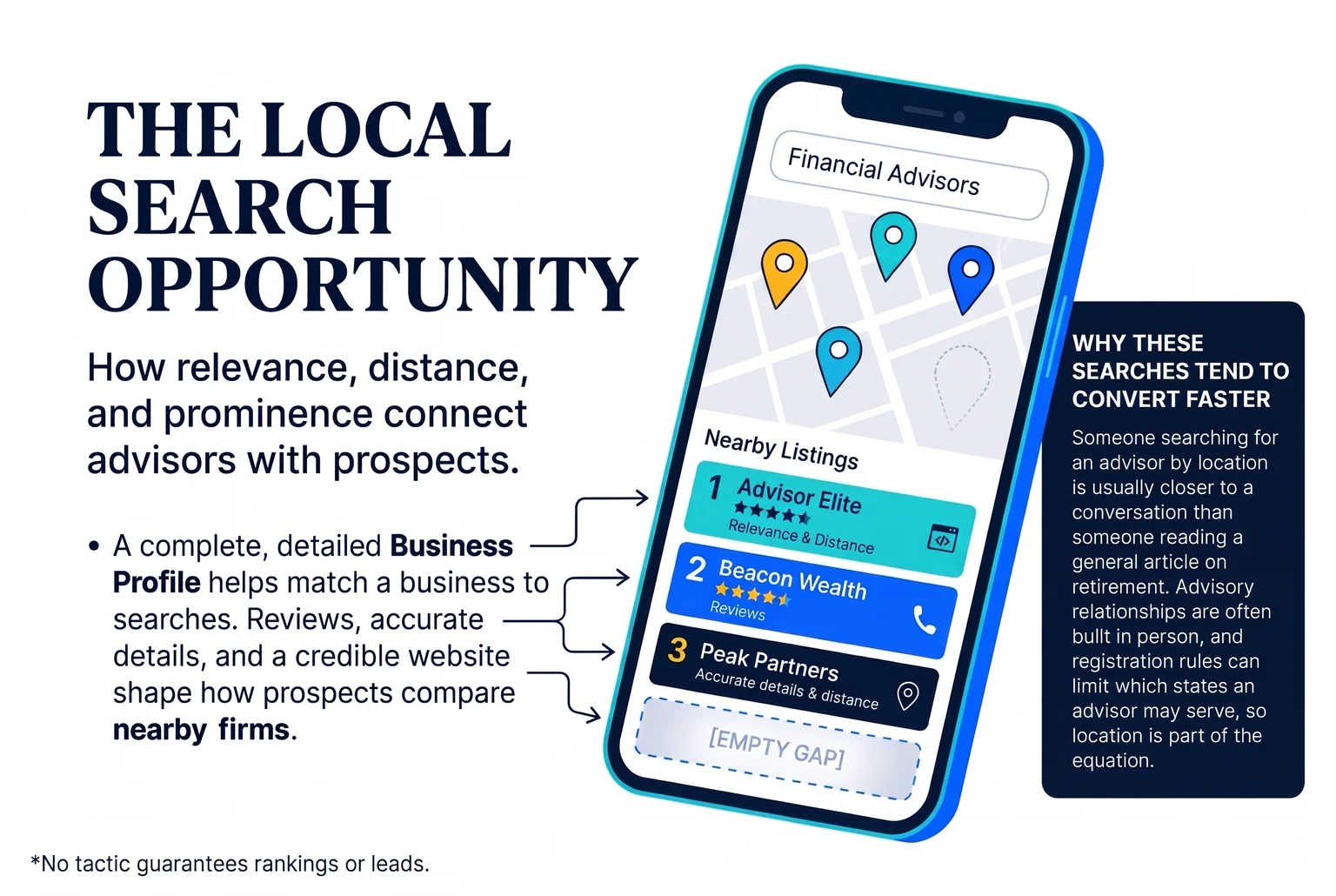
Why these searches tend to convert faster
Someone searching for an advisor by location is usually closer to a conversation than someone reading a general article on retirement. Advisory relationships are often built in person, and registration rules can limit which states an advisor may serve, so location is part of the decision. Maps matter too: in a 2025 survey of 1,000 U.S. adults, 20% chose a maps product as their first stop for local searches.
Reviews shape the comparison. A BrightLocal survey of 1,002 U.S. adults found that 97% read reviews for local businesses and 47% would not use a business with fewer than 20 reviews. Advisors face compliance limits on reviews, which a later section covers.
Referrals still matter. In a 2023 Arizent survey, nearly 80% of advisors cited referrals from friends, family, or colleagues as a source of clients. Referred prospects often check you online before they call, so the two channels work together.
The running example
Throughout this guide, we follow one advisor: a solo, fee-only planner in a mid-sized city who serves pre-retirees. She has a website built years ago, an unclaimed map listing, and a steady trickle of referrals. Each step applies to her situation, and it may apply to yours.
Which marketing rules apply to your local listings and pages
Your Google Business Profile, website, and directory listings count as public marketing, so the compliance limits come before the setup steps. For SEC-registered investment advisers, the Marketing Rule (Rule 206(4)-1) allows testimonials, endorsements, third-party ratings, and certain performance claims only when specific conditions are met and the content is not materially misleading. Broker-dealer representatives work under FINRA's advertising rules instead.
What the rules generally mean for local content
- Testimonials and endorsements. Under the SEC rule, these generally need clear and prominent disclosures about whether the promoter is a client, whether they are paid, and any conflicts. Written agreements and oversight usually apply, with exceptions for affiliates and compensation of $1,000 or less over 12 months. FINRA requires testimonials to disclose that they may not be representative, and to disclose if more than $100 in value was paid.
- Third-party ratings. A "best advisor" badge or directory rating needs the rating date, the methodology, and any compensation or conflicts disclosed.
- Performance claims. Restrictions cover misleading presentation, gross and net figures, and hypothetical or predecessor results. Phrases like "top-performing advisor" need a reasonable basis you can substantiate, and guarantees are off the table.
- Profile posts and replies. FINRA treats firm-created posts, service descriptions, and review responses on platforms like Google Business Profile as business communications subject to supervision.
Common Mistake: Asking happy clients to post public Google reviews without checking your firm's policy first. Depending on how reviews are requested, shown, or selected, they may trigger disclosure, oversight, or recordkeeping duties. A later section covers the options.
Tradeoffs and limits
Disclosures can make some content permissible, but they add wording, review time, and recordkeeping. Plain educational content carries less risk and is often faster to approve.
The SEC rule is not a universal safe harbor. State rules, including NASAA's model rule, and your firm's own policies may be stricter.
Send every profile description, post, page, and directory bio through your compliance process before publishing. This guide is general information, not legal advice. When a later step says "compliance note," it refers to this section. For more safe tactics, see these compliant marketing tactics for advisors.
Claim and complete your Google Business Profile
A Google Business Profile is the free listing that appears in Google Maps and local results when someone searches for an advisor nearby. Claim it at business.google.com, then work through the fields below. Verification can take time, and Google decides which listings appear, so no setup guarantees a map position.
Our running example is a solo fee-only advisor serving pre-retirees. Call her Dana Reyes, of Reyes Financial Planning.
Setup checklist
- Business name. Use the real-world name on your signage, website, and registration, with no added keywords, locations, or promotional claims. Dana uses "Reyes Financial Planning," not "Best Retirement Advisor Springfield."
- Primary category. A category is the label that tells Google what kind of business you are. Pick the one that best describes your main offering. Financial Planner fits a practice built on comprehensive planning, and Investment Service fits one centered on investment management. Options can vary, so confirm them in the category picker. Add secondary categories only if they describe real services.
- Address or service area. A service area is the set of places you travel to or serve, shown instead of a street address. If clients meet you at your office, show that address. If you do not serve customers at your address, hide it and list your service area. List only places you actually serve.
- Hours, phone, and website. Use the same phone number and hours your website shows. Link to the page that explains your services or lets people book.
- Services and description. List the services you offer in plain terms. Write a description of what you do, who you help, and where.
- Photos. Add your office exterior, your team, and your workspace. Skip stock images.

Verification
Google may ask for video verification. The video must be recorded live on a mobile device, because prerecorded files are not accepted. A storefront or hybrid business may need to show location markers, signage matching the profile name, and proof that the person filming manages the business.
Pro Tip: Before you start, write your business name, phone number, and address exactly as you want them shown everywhere. Copy them into every field and every later directory listing.
Virtual advisors and address rules
If you work from home and meet clients elsewhere or online, hide your home address and use a service area. Do not rent a mailbox, borrow a friend's office, or use a virtual office to look local. A purely online practice with no in-person client contact may not qualify for a profile at all. Listings with unsupported addresses risk suspension, which removes the listing entirely.
Compliance for profile content
Run each item through the process described in the previous section.
- Safe to include: services, credentials, how you charge, who you serve, and educational posts.
- Avoid: performance claims, guarantees, "best" or "top" language, and client quotes you have not cleared.
- Never post: confidential client information or account details, including in photos, posts, or Q&A answers.
Because you or your staff may answer Q&A and respond to reviews, treat those replies as supervised business communications too.
Pick a short list of local phrases and give each one a page
You do not need a paid tool to find the phrases prospects use. Start with how clients describe their problem, add a place, and keep the list short.
Step 1: Write the service plus place. Combine what you do with where you do it. Common patterns include a service or advisor type followed by a city, such as "financial advisor Denver," "fee-only financial planner Austin," or "401k rollover advisor Dallas." Place can mean a city, a neighborhood, a county, or a region, depending on where your clients live.
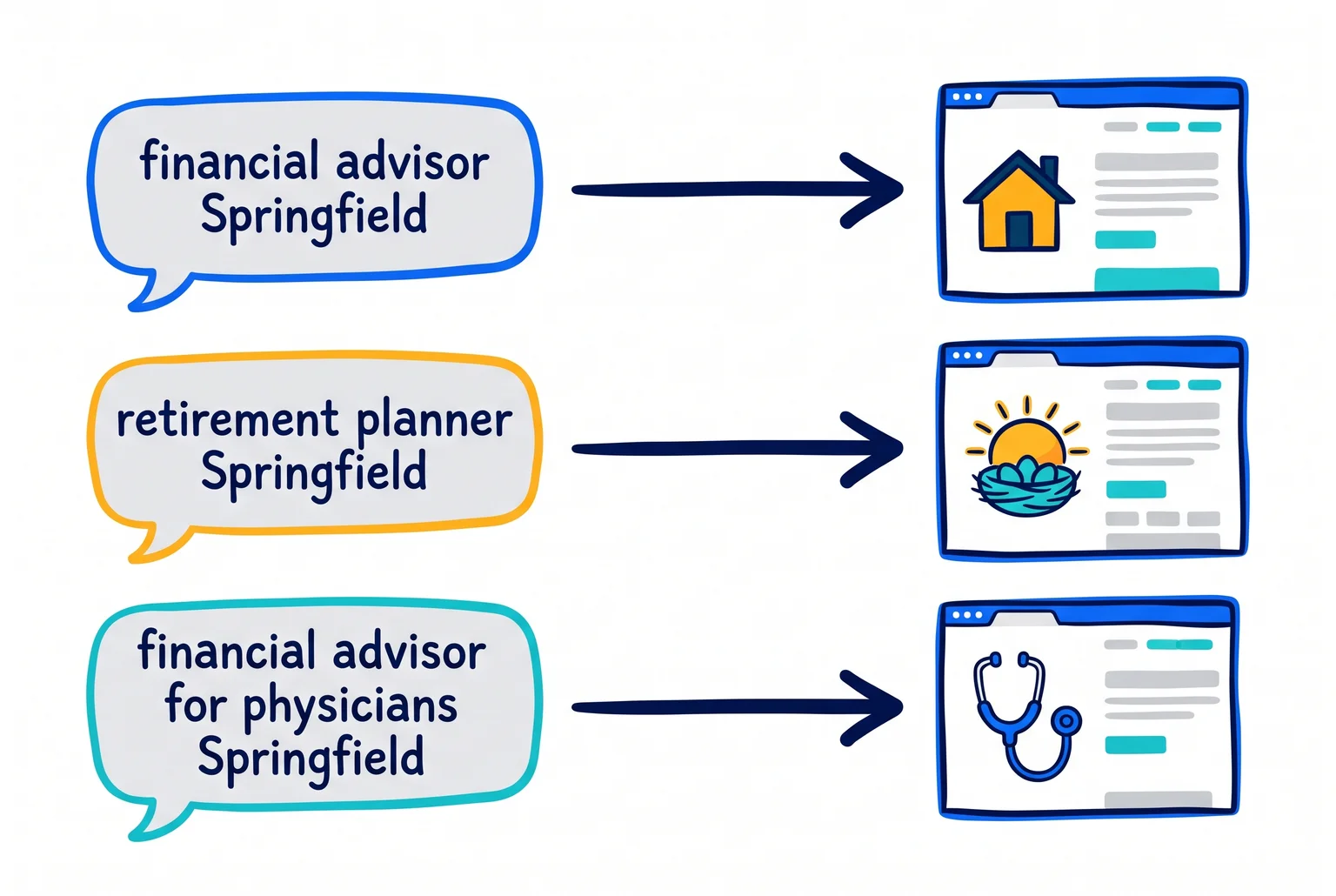
Step 2: Add client type. Specific phrases that name a real audience tend to match what a motivated person types. For Dana, that means "retirement planning for pre-retirees Springfield" or "financial planner for physicians Springfield metro." Use only audiences and services you actually serve.
Step 3: Understand intent. Search intent is what the person wants when they type. "What is a rollover" is a learner. "Fee-only financial planner Springfield" is someone comparing advisors.
Step 4: Map one phrase to one page. Assign each phrase to a distinct, useful page: "financial advisor Springfield" to the home or main location page, "retirement planner Springfield" to the retirement page, and the physician phrase to a physician page.
Why "near me" cannot be added to a page
Google says local results depend mainly on relevance, distance, and prominence. Distance is where the searcher stands. Prominence is how well known and well documented your firm is. Typing "near me" into your copy changes neither. A complete profile, accurate details, and useful pages are what help.
Virtual and multi-city advisors
Target only places where you are registered, have real clients, and can serve people. Advisers generally must register with the SEC or state regulators, and should check the laws of each state where they do business. Google's spam guidance lists substantially similar city pages built mainly to capture traffic as doorway abuse, so skip pages for towns you cannot serve.
Broader targeting also dilutes relevance. One strong page for your real market usually beats ten thin ones. If you want a wider view of the channels around this, see the digital marketing guide for advisors.
Page-by-page fixes that help local search and win the booking
Local visibility sends people to your website, and the site then has to earn the call. Work through these pages for Dana, our solo fee-only advisor in Springfield.
Home page. State who you serve, where, and what you do in the first screen: "Fee-only financial planning for pre-retirees in Springfield." Add one clear next step, such as a button that opens your scheduling link, and show credentials and your firm's disclosures where visitors can find them. Pages should be organized with descriptive headings and clear content that helps visitors find services, credentials, fees, disclosures, and next steps.
Service pages. Give each core offering its own page, matched to the phrases you chose in the last step: retirement planning, physician planning, and so on. Each page should explain who it fits, how the work runs, and how you charge.
Contact page. Put your full address, phone number, and hours in plain text, not only in an image or a form. If you serve clients virtually from a home office, show the service area instead of the street address, consistent with your profile.
About or location page. Describe your connection to the community in factual terms: where you work, groups you volunteer with, local events you sponsor. Leave out client quotes and performance claims.
Titles and headings. Write each page title the way a person would describe it, such as "Retirement Planning for Pre-Retirees in Springfield | Dana Reed Financial." Avoid misleading or exaggerated titles and lists of nearby towns.

Local articles that stay compliance-safe
Prefer original, expert-led educational content over thin summaries. Useful topics include state tax questions for retirees, how Medicare enrollment works, or what to ask before hiring a planner. Send each piece through compliance review first.
Technical basics
- Secure connection. Your address should start with https.
- Mobile. The mobile version should keep the desktop version's primary content, metadata, and structured data.
- Speed. Compress large images, avoid intrusive pop-ups, and reserve space for media so the page does not jump. Google treats INP below 200 milliseconds and CLS below 0.1 as good. INP measures how quickly a page responds to taps, and CLS measures unexpected layout shifts.
- Local business markup (optional). Markup is extra code that labels your name, address, and phone number so search engines can read them accurately. Google's documentation says business name and address are required for local business rich results, and it does not guarantee a rich result. Schema.org offers a FinancialService type suited to advisory firms.
A developer can add markup in an hour or two. If you want that handled alongside the design and copy, Pro Financial Design builds advisor websites with these pieces in place.
Match your firm's details on every directory listing
A citation is any mention of your firm's name, address, or phone number on another website, and it may include all or only some of those details. A mismatch, such as an old suite number or a disconnected phone line, can confuse prospects and the systems that read these listings. Google's published documentation does not quantify a ranking penalty for inconsistent details, so treat cleanup as a way to reduce confusion. Start with your Google Business Profile and website.
Quick Definition: NAP. Name, address, and phone number, written the same way everywhere.
Directories worth checking
- IAPD and BrokerCheck. Regulator records, so use them as your accuracy reference. BrokerCheck information is generally updated within 30 days of a filing.
- NAPFA. Membership directory for fee-only advisors. Registered dues are $695 a year plus a $150 processing fee ($75 if your firm already has a member), and a website link costs a one-time $125. Eligibility includes a CFP certification and a fee-only compensation model.
- FPA PlannerSearch and Wealthramp. Advisor-matching directories with their own membership or application criteria. Wealthramp lists only fee-only advisors.
- Avvo, Yelp, BBB, and your local chamber. Tiers vary, and value depends on your market. None guarantees leads or rankings.
Audit method
- Write your exact name format, address style (Suite or Ste.), and phone number, matching your regulator filings.
- Record each listing's URL, displayed details, claimed status, and duplicates in a spreadsheet.
- Correct, claim, or merge each one, and recheck after any move or rebrand.
Citations rank behind a complete Google profile, quality site content, and reviews, so do not chase every directory.
Compliance on third-party profiles
Profile text you approve is your advertising, so use only approved descriptions of credentials, fees, and services. Third-party ratings and client reviews on Avvo-type profiles may raise Marketing Rule questions, which the next section covers. For authority beyond listings, video marketing is one option.
Decide what to do with client reviews before a client posts one
Reviews help prospects trust you, and a complete Google profile with recent reviews tends to look more credible than an empty one. For advisors, they also create risk. This is general information, not legal advice, so your compliance team makes the final call.
The SEC allows testimonials and endorsements in advertising if the adviser meets disclosure, oversight, and disqualification requirements. Firm, broker-dealer, or state rules may be stricter.
A four-step decision framework
- Clearly allowed. Giving every client the same chance to leave feedback on your profile does not by itself make the reviews advertisements, as long as you do not endorse or approve the content. Responses limited to general, privacy-safe language are also generally fine.
- Needs disclosures or oversight. A review may become a testimonial when you request, curate, quote, link to, or republish it. Compensation to a promoter generally requires a written agreement, with a narrow exception for affiliates or total pay of $1,000 or less over 12 months.
- May be prohibited. Your firm or state may bar solicitation entirely. Without documented approval, assume no soliciting, reposting, incentives, or substantive replies.
- Avoid. Coaching clients, filtering out negative feedback, offering incentives, and editing reviews. These can turn reviews into firm advertising, and Google prohibits incentives and selective solicitation.
Common Mistake: Replying "Thanks, Jim, glad your retirement plan is working." That confirms a client relationship and discloses planning details. Reply generally, such as "Thank you for the feedback. We take every comment seriously," and route anything specific to compliance.
Applying it to your firm
Suppose the solo fee-only advisor in our running example gets an unsolicited five-star review. Under the framework, the advisor leaves it alone, replies with a general thank-you, does not feature it on the website, and logs it for compliance.
Ask compliance for a written reviews policy that names an owner and records monitoring, approvals, and requests. The SEC has observed widespread problems with disclosures on websites, social media, and referral programs.
Some firms use an "ask everyone" process, but promoting those reviews may trigger adoption and entanglement disclosure questions.
Build trust where reviews are not an option
Credentials, a plain process page, fee disclosure, and your Form CRS or ADV links do much of the same work. A marketing plan can show where each trust signal fits.
Your 30-day local SEO checklist
Work in this order so compliance approval comes before anything goes public. Each item names the action and the reason for it, so you can check it off and know why it is there.
Week 1: compliance and profile
☐ Ask compliance which content types need review, and who approves them. Everything after this step depends on the answer.
☐ Get written sign-off on your profile description, service list, and page copy before anything is published.
☐ Request a written reviews policy that names an owner and covers requests, replies, and recordkeeping.
☐ Write your exact business name, address style, and phone number in one document, matching your regulator filings. You will copy from it for every listing.
☐ Claim your Google Business Profile at business.google.com, or confirm you already control it.
☐ Complete verification, including live video if Google asks for it. Verification can take time, so start early.
☐ Fill in the primary category, hours, phone, website link, services, and description. Local ranking rests on relevance, distance, and prominence, and a complete profile helps with relevance.
☐ Decide whether to show your office address or hide it and list a service area. Show only places you actually serve.
☐ Upload real photos of your office exterior, team, and workspace, and skip stock images.
Week 2: phrases and pages
☐ Write a short list of service-plus-place phrases, such as "fee-only financial planner Springfield." Keep it to places and audiences you truly serve.
☐ Add a client type to the phrases that fit, such as pre-retirees or physicians.
☐ Map each phrase to exactly one page, and create a page where none exists. One clear job per page keeps the site focused.
☐ Rewrite each page title and main heading in plain language that includes the service and place once.
☐ Put your full address (or service area), phone number, and hours in plain text on the contact page.
☐ Add one clear next step to every key page, such as a button that opens your scheduling link.
☐ Check that credentials and firm disclosures are easy to find.
☐ Confirm the site loads over https and works on a phone.
☐ Optional: ask your developer to add local business markup.
Week 3: directories
☐ Check your IAPD or BrokerCheck record first, and fix any outdated detail there, since regulators are your accuracy reference.
☐ Build a spreadsheet with each listing's URL, displayed details, claimed status, and any duplicates.
☐ Search each directory worth checking for your firm: NAPFA, FPA PlannerSearch, Wealthramp, Avvo, Yelp, BBB, and your local chamber.
☐ Correct, claim, or merge each listing so the name, address, and phone number match your master document.
☐ Review third-party profile text, ratings, and reviews with compliance before leaving them live.
☐ Skip directories whose cost or eligibility rules do not fit your firm. You do not need every one.
Week 4: tracking and review habits
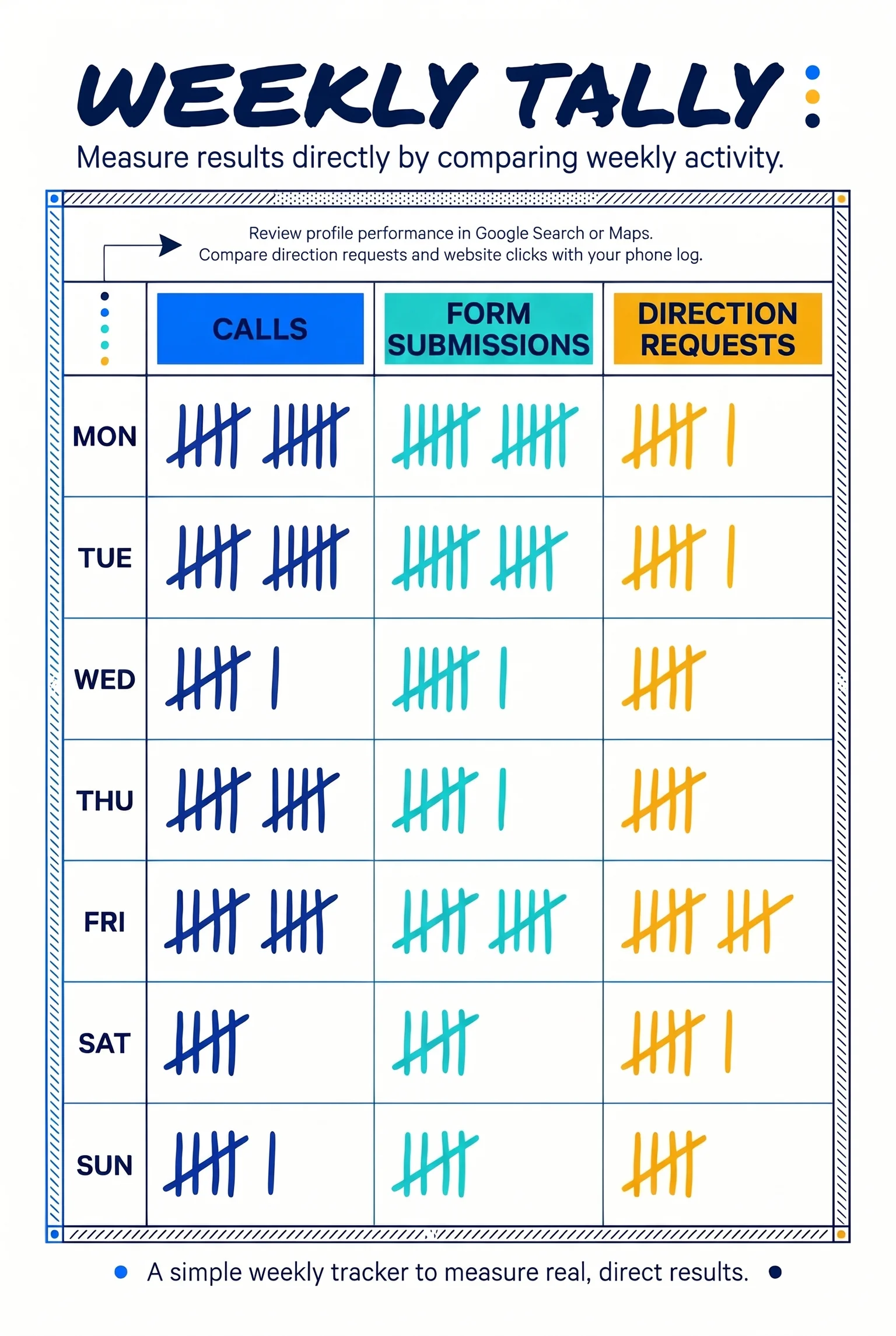
☐ Start a simple log of calls and form submissions, and update it weekly. These measure results more directly than rankings or profile views.
☐ Note how each new prospect found you by asking at the first call.
☐ Review profile performance in Google Search or Maps. Direction requests and website clicks do not necessarily equal consultations, so compare them with your phone log.
☐ Reply to any new reviews using general, privacy-safe language, and log them for compliance.
☐ Put a quarterly reminder on your calendar to recheck hours, services, and contact details.
☐ List what still needs work, and assign each item to the next 30 days.
By day 30, the solo fee-only advisor in our example has an approved profile, one page per phrase, matching directory listings, and a written reviews policy.
Expectations and virtual advisors
Google does not promise a timeline. Results may take weeks to months and can vary with competition and season.
If you are virtual or serve several cities, visibility can differ by city because distance is a ranking factor. Avoid creating extra profiles just to target locations. Build pages only for places where you are registered and can serve clients. The free marketing playbooks can help you plan local content.
Common questions about getting found locally
How long does it take? Google does not publish a timeline. Many firms see movement over weeks to months, depending on competition in your city.
Do I need a physical office? If you meet clients at your address, list it. If you travel to clients or work virtually, Google generally expects a service-area profile with the address hidden.
Should I pay for ads or directories? Neither is required for the fundamentals here. See lead generation without paid ads to compare. Financial services ads have their own platform rules, so involve compliance first.
What about multiple offices? A genuine office can have its own profile, but duplicate profiles for the same location are not allowed.
Can I reply to reviews? Yes, with care. Never confirm the reviewer is a client or mention financial details, and move sensitive matters to a private channel. Run replies through compliance and keep a record.
How often should I update the profile? Whenever your hours, services, or contact details change, and at least quarterly.
Should I hire help? If compliance review and upkeep take time you lack, an advisor-focused specialist can help.
Get a second look at your site, profile, and listings
Local visibility gets a prospect to your door. Your website decides whether they book a conversation. The order in this guide is the same each time: confirm compliance limits, fix your Google Business Profile, clean up your pages and directory listings, then handle reviews carefully.
Pro Financial Design builds websites for financial advisors, and its WebPro plan covers copywriting, design, SEO setup, launch, and 30 days of support. Book a 15-minute call, and we can review your site, profile, and directory consistency together. Results vary by market, and nothing here is guaranteed.

About Cullen Fischel
Cullen Fischel is the lead designer at Pro Financial Design. So, if you’ve ever worked with us, you’ve worked with Cullen on strategy, design, and content creation for your project. Cullen’s got years of experience developing websites, brands, logos, lead magnets, digital marketing strategies, and social and email content for his clients. If you have any questions for him, just send us a message!

Want more financial advisor marketing tips and guides? Check out:



Local SEO for financial advisors, in a practical checklist: set up Google Business Profile, pick local phrases, fix key pages, and handle reviews safely.