Most advisor sites work like brochures and get visits but few booked calls. This guide lays out a guided-tour page flow, one job and one CTA per page, plus compliance rules and a comparison of DIY, template, and custom builds.
Updated: 10/29/2026 by Cullen Fischel

Why a financial advisor website gets visits but few booked calls
Your site gets traffic, and your inbox stays quiet. Good financial advisor website design treats the site as a guided tour: each page has one job and one next step, so a visitor always knows where to go. Most advisor sites work like brochures instead, listing services and firm history without pointing anywhere specific.
The numbers are modest. Average advisor sites convert 0.5-1.5% of visitors into leads, and roughly 0.75% into booked meetings. Focused, conversion-minded sites are reported at 3-8%, though these figures come largely from agency sources, so treat them as a range and not a promise.
Key points:
- Vague headlines and a generic "Contact" button waste traffic.
- Asking for a consultation before trust exists can drive visitors away. A guide offers a softer first step.
- Each high-value page works best with one purpose and a specific button.
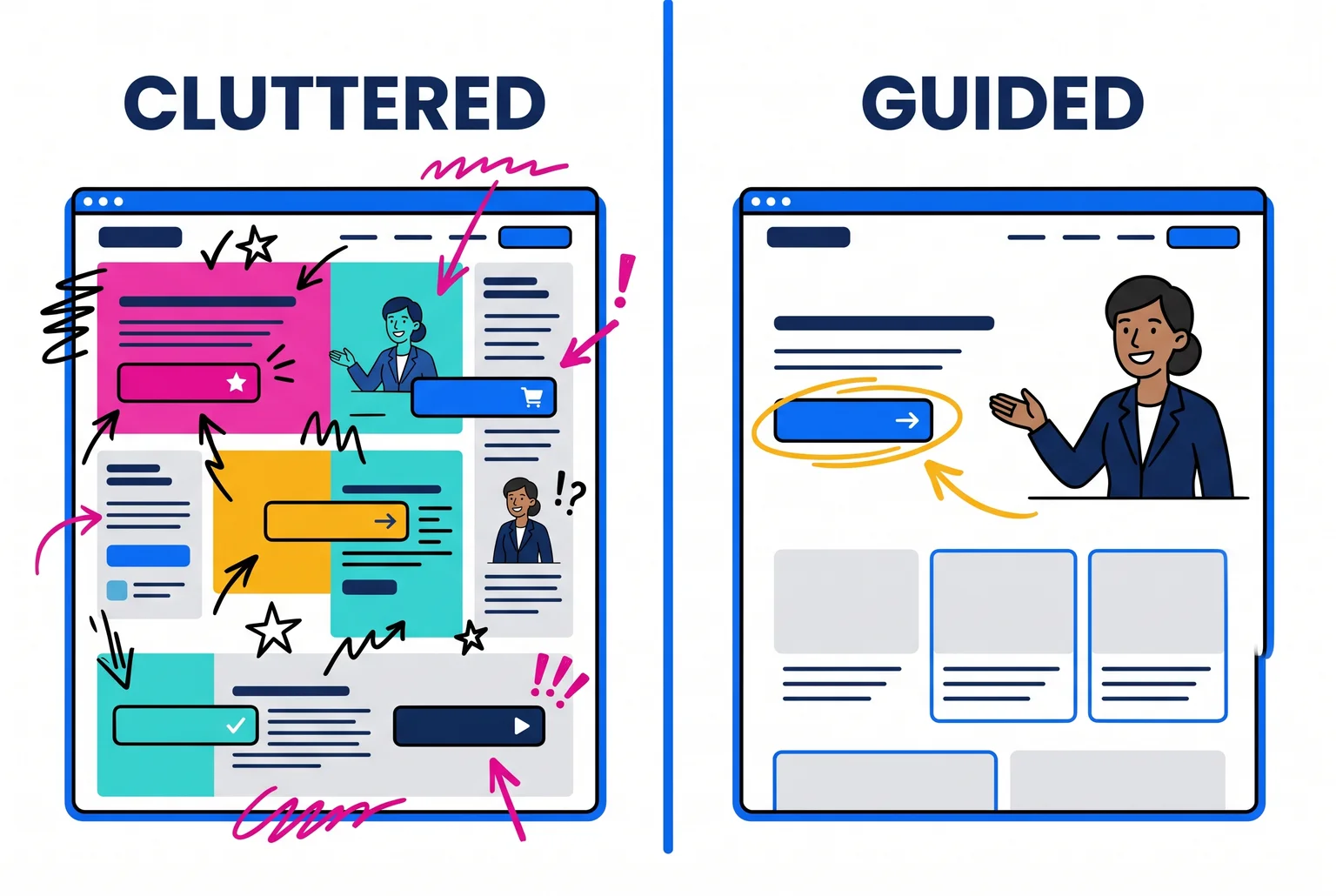
Throughout this guide, one example advisor carries the flow: a solo independent advisor serving pre-retirees, replacing a dated template site. The tour runs from home page (recognize yourself), to about page (trust me), to services and process (know what happens next), to resources (a reason to stay), to booking (schedule the call). Compliance and build options follow.
A custom build is one way to get there, and later sections compare the alternatives.
The guided-tour page flow at a glance
Six pages cover the tour. Each has one job and one primary CTA, and the secondary action only supports it.
| Page | Job | Primary CTA | Secondary action |
|---|---|---|---|
| Home | Visitor recognizes who the site is for | Schedule your intro call | See how we work |
| About | Stranger decides the advisor is trustworthy | Book a call to see if we're a fit | Read client reviews |
| Services | Visitor sees what is offered and who it suits | Schedule your intro call | View the process |
| Process | Visitor learns what happens next | Book a 30-minute intro call | Read the FAQ |
| Resources | Search visitor gets a reason to stay | Download the guide | Join the newsletter |
| Booking | Ready prospect picks a time | Confirm your time | Call the office |
One primary CTA does not mean one button. Multiple buttons are fine when they lead to the same destination, so a header, hero, and closing button can all open the same scheduler. Competing destinations cause the damage: Unbounce reported a webinar-page test where removing one excess CTA lifted conversions by 16.93%. A consistent booking path means visitors never have to relearn where "next" is.

Well-built advisor sites tend to follow this order. Generous Wealth Management uses directional arrows and page-bottom CTAs to move visitors along, and some Twenty Over Ten designs link "Get Started Today" straight to a scheduling page. Sites break the flow with a generic "Contact Us" button or, at larger firms, several secondary routes before any consultation is offered.
The home page: let the right visitor recognize themselves
The home page has one job: a pre-retiree should know within seconds that this site is for them and see one next step. Visitors often leave pages in 10 to 20 seconds, and communicating the value proposition within 10 seconds is what earns longer attention.
Name the client and the outcome in the headline, not your biography. For the running example advisor: "Retirement planning for pre-retirees who want to stop worrying about running out of money." The subheadline adds a real distinction: "Fee-only, fiduciary advice from one advisor, from your first plan through retirement." Skip unsupported superlatives like "the best."
Put one proof element beside the hero, such as a CFP® credential or a short, compliance-reviewed client comment tied to a pre-retiree's problem. Specific evidence beats "20 years of experience".

Place the same primary button in the header, the hero, and near the bottom after the trust content. "Schedule a Free Introductory Call" is specific, unlike "Contact Us" or "Learn More". Pair it with a quieter secondary link, "See How We Work."
Common Mistake: Giving "Schedule a Call," "Download the Guide," "Meet the Team," and "Get a Quote" equal weight. Visitors stall when every button looks like the main one. Make one button solid and the rest text links.
Keep your phone number and email visible in the header or footer. If you offer a lead magnet, use a form of three fields or fewer. Put the client login in a small top-corner link so current clients find it without it competing with the booking button.
Test the page on a stranger for 10 seconds, then ask what you do, whom you serve, and what to click.
The about page: answer "Can I trust this person with my money?"
A stranger reads the about page to lower the risk of calling you. Its one job is to answer that question before the visitor reaches the button.
Start with a story tied to the client's problem, not a résumé. The running example advisor might explain why she works with pre-retirees, what she saw that led her there, and what she does differently. Keep credentials accurate. Write "Jane Doe, CFP®" with the mark beside your name, since only the certified individual may use it, not the firm.
Say how you are paid in plain words: the fee structure, how you bill, other costs, and conflicts. CFP Board standards require an accurate description of the compensation method, so "fee-only" should appear only if it is true. Describe fiduciary duty precisely, and link your Form ADV Part 2 and your IAPD profile so prospects can verify you. Those records confirm identity and background. They say nothing about future results.
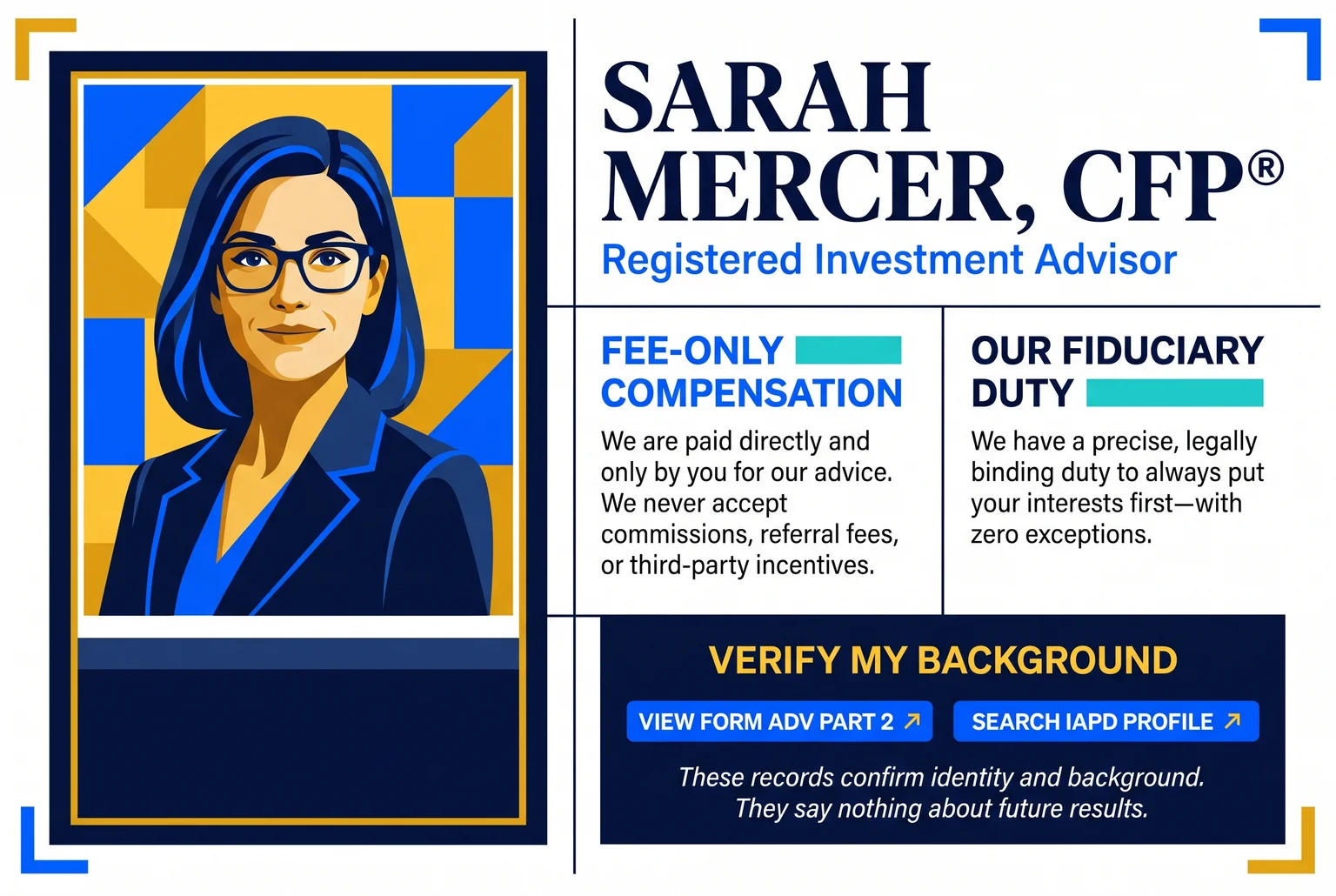
Use a current, professional photo, and keep your name, title, and headshot identical on LinkedIn, email signatures, and the site. Mismatches look like carelessness to someone checking you out. Testimonials and reviews can support the page, but compliance rules limit them, so wording is covered in the compliance section.
Put the CTA after this content: "Book a Call to See If We're a Fit." Repeat trust cues, such as the credential and fee line, near other conversion points too. For more on tying channels together, see this digital marketing guide.
Services and process pages: show what happens after the click
Visitors hesitate to book when they cannot picture the call. The services and process pages exist to make that picture clear, so booking feels like a small step. A 2023 FSCS study found 23% of people who sought advice outside regulated advice said their savings and investments were not large enough, the leading barrier it reported. Say plainly who you serve and any minimums.
On the services page, name your intended clients, what the service includes and excludes, how you charge, and what affects cost. Describe pricing by method (for example, a flat planning fee or a percentage of assets managed) without quoting figures you cannot stand behind.
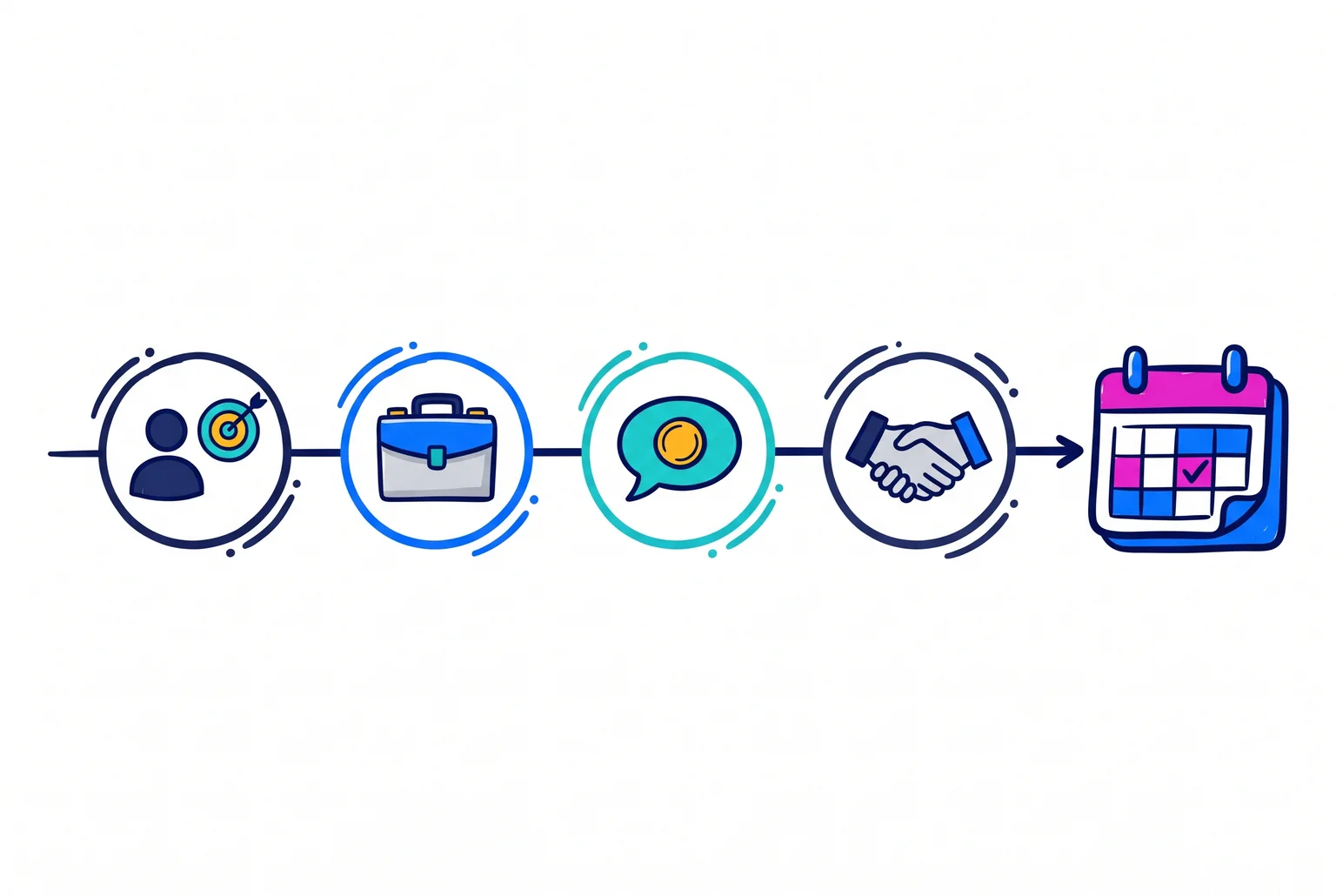
On the process page, outline the first call in four steps:
- We review your situation and goals.
- I explain my services and how I work.
- We cover fees and answer questions.
- We agree on a next step, or part ways.
A first call is a conversation about fit, not a plan presentation. Say visitors need no complete financial paperwork and no commitment.
Place a mid-page CTA after the steps: "Schedule Your Free Introductory Call." Close with: "Ready to talk? Pick a time that works."
An FAQ block can cover minimums, cost, call length, investment management, and remote meetings.
Pro Tip: Write each answer in two sentences, and link to your content marketing for deeper questions.
Resources and blog: turn search visitors into booked calls
Resource pages and blog posts bring in people who are not ready to book yet. Their job is to answer one question well and offer a next step that fits the reader's intent.
For the pre-retiree advisor, write to the questions clients ask, using a two-layer keyword approach that pairs a specialty with a place, such as "retirement income planning for pre-retirees in Kansas City." Niche and local phrases suit independent advisors, and a complete Google Business Profile supports the local side. Publish on a steady schedule, and have compliance review each piece.
Place a low-friction CTA after the introduction or first major section, and a specific one at the end. Slide-in CTAs earned 192% higher click-through than static bottom CTAs in one HubSpot test.
Two intent levels:
- Early research: "Download the Pre-Retirement Checklist."
- Ready to talk: "Book a 20-minute retirement planning call."
A download starts a four-to-six-email sequence over a few weeks, ending with a call invitation. Email, social posts, referrals, and your professional website design should all point to this same path.
Booking page: remove every step between "yes" and a scheduled call
The booking page has one job: get a ready prospect onto your calendar. Embed the scheduler directly on the page, since an embedded scheduler removes a step compared with a contact form. Put a monitored phone number beside it for people who prefer to call.
Headline: "Schedule your free 20-minute introductory call." Button: "Pick a Time." Above the scheduler, state the length, the format (phone or video), and what you will cover.
Ask for name, email, phone, and one question, such as "What would you like to talk about?" Extra fields reduce completions, so collect more detail after booking. Add a short consent line explaining how you will use the information, and have compliance review it.
The confirmation page and email should state the time zone, duration, advisor, meeting link, and how to reschedule. Send at least two reminders.
Compliance rules that change how you word and place page elements
This is general information, not legal advice. Rules differ for SEC-registered, state-registered, and FINRA-member firms, so have your compliance professional or counsel review the copy, disclosures, and records before launch.
Testimonials and endorsements. The SEC Marketing Rule allows them with clear and prominent disclosure of whether the person is a client, whether they were compensated, and any material conflicts. On the about page, place that disclosure directly beside each quote. FINRA-member firms face additional rules under Rule 2210.
Performance and ratings. Gross performance must appear with net performance, and the rule restricts hypothetical and cherry-picked results. A pre-retiree site can skip performance numbers altogether. Third-party awards need the rating date, period, and issuer, so put those in small text under the badge.
Form CRS. SEC-registered advisers must post the relationship summary prominently and in an easily accessible place. A footer link on every page plus a link in the services page's fee section keeps it visible without crowding the booking button.
Records. Advisers must be able to substantiate material factual claims and keep documentation for advertisements. Save dated copies of each page before launch and after every edit. The same rules cover your email and social content that links back to the site.
How to choose between a DIY builder, a template platform, or a custom build
Prices come from published pricing pages and vary by billing period.
| Option | Typical cost | Control and compliance | Upkeep |
|---|---|---|---|
| DIY builder | Squarespace $19 to $99 per month, Wix $17 to $159, billed annually | Full control of copy and CTAs; you handle disclosures | You maintain it |
| Advisor template platform | Snappy Kraken Foundations is $99 per month plus a $499 setup fee; Twenty Over Ten Voya setup runs $0 to $3,600 | Advisor-specific layouts; compliance tools vary | Vendor hosts |
| Custom agency build | Often $3,000 to $10,000+ | Copy and CTAs built to your page flow | Support terms vary |
Choose DIY if budget is tight and you can write your own copy. Choose a template for a fast launch with advisor-specific structure. Choose custom if page flow and copy matter more than cost.
Ask each vendor who owns the domain and content, whether pages can be exported, what compliance tools cost extra, and what happens if you leave.
Pro Financial Design's webpro plan is a custom option that includes copywriting, design, and SEO setup. It starts with a $750 down payment, then bills by estimate. Its website design guide covers custom versus template.
Quick answers and your next step
How many pages? Eight to twelve purposeful pages can be enough. Build time? Many sites launch in two to three weeks once content and feedback arrive, though compliance approvals may extend that.
To have Pro Financial Design review your site, book a strategy call.

About Cullen Fischel
Cullen Fischel is the lead designer at Pro Financial Design. So, if you’ve ever worked with us, you’ve worked with Cullen on strategy, design, and content creation for your project. Cullen’s got years of experience developing websites, brands, logos, lead magnets, digital marketing strategies, and social and email content for his clients. If you have any questions for him, just send us a message!

Want more financial advisor marketing tips and guides? Check out: